Masquerade as a User
Overview
When someone in your organization asks why they cannot launch a machine or what they are spending, the quickest answer is to look at the console as they see it. Masquerade as signs you in as that user without their password: their budget, their cloud account, their views and their permissions. Sign out brings you straight back as yourself.
Prerequisites
- [ ] A RosettaHub account with the superuser role in the organization
Masquerade, then come back
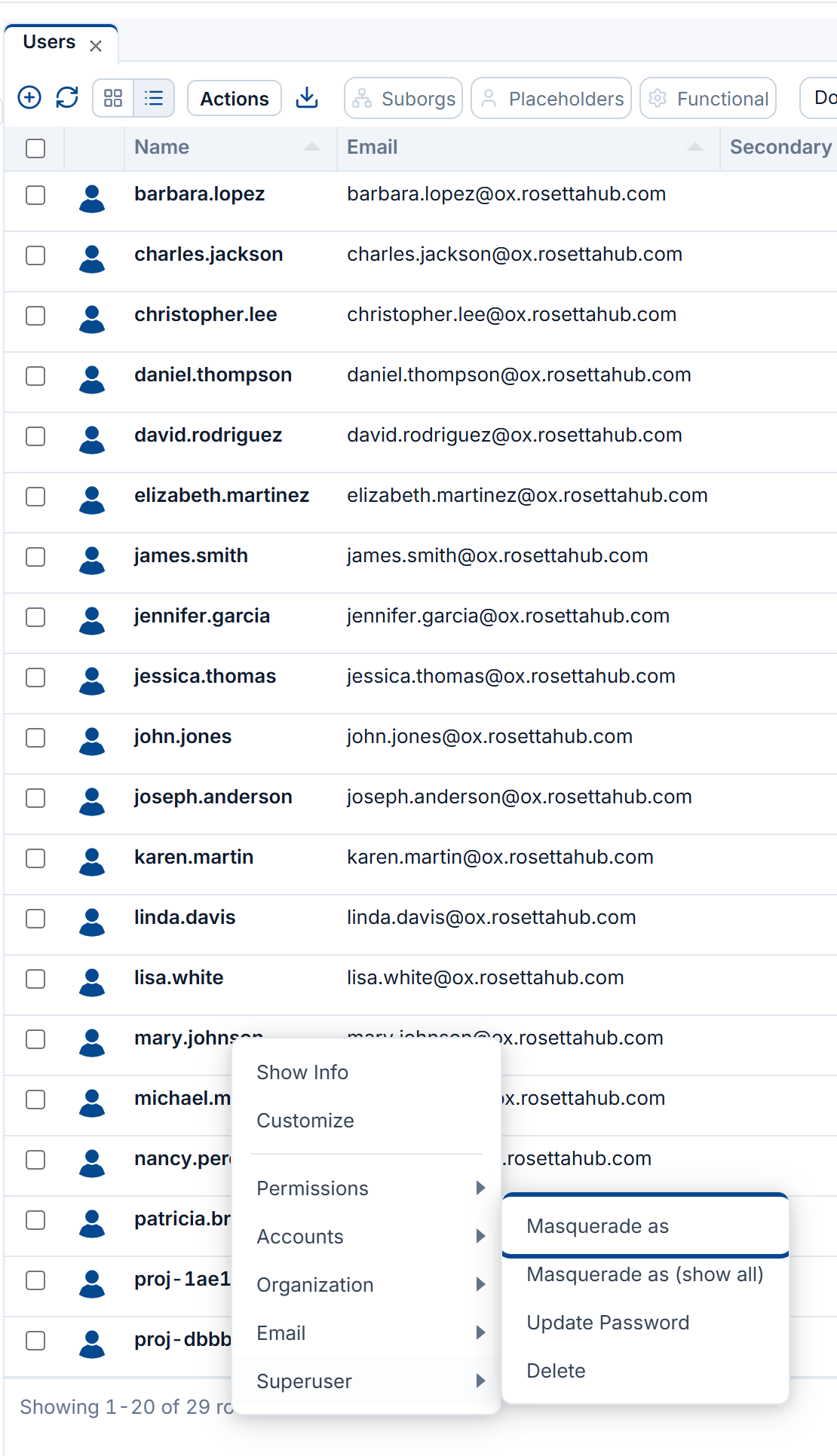
Right-click the user and open Superuser
In ORGANIZATION → Users, right-click the person and open Superuser → Masquerade as.
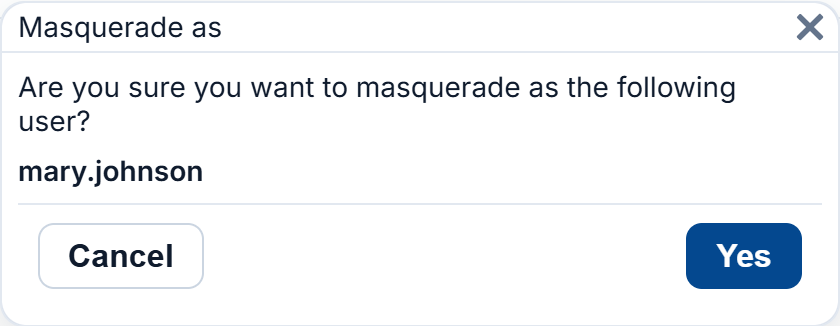
See the console as them
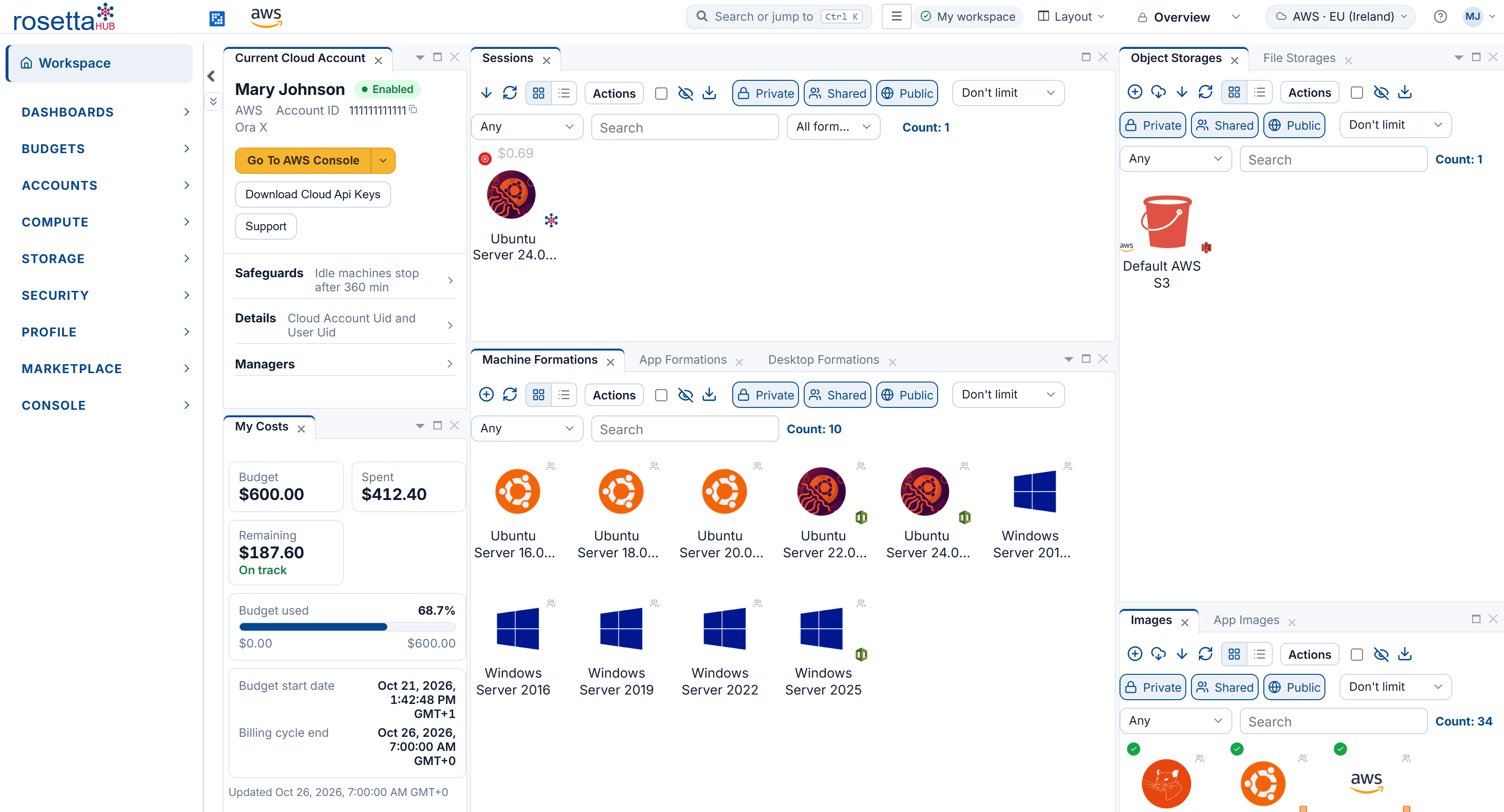
The console reloads as that user: their name in Current Cloud Account, their budget in My Costs, their initials in the top bar, and only the side menu and views they have. Anything you do now, you do as them.
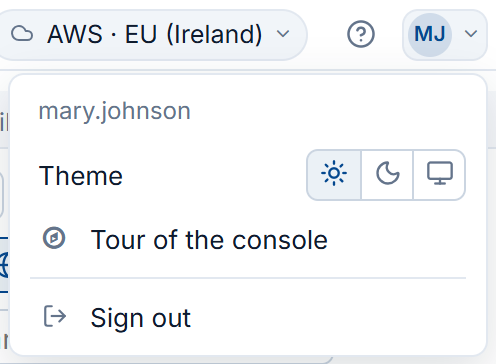
Sign out to come back
Open the menu under their initials, at the right of the top bar, and click Sign out. You are back in the console as yourself, without signing in again.
Warning
While masquerading, every action is taken as the user: what you launch, change or delete is theirs. Sign out as soon as you have seen what you needed.
Next Steps
- Guardrails: change what the user is allowed to do
- Budgets and Costs: give them more budget, or move it
- Users: managing the people in an organization